
VHF Radio
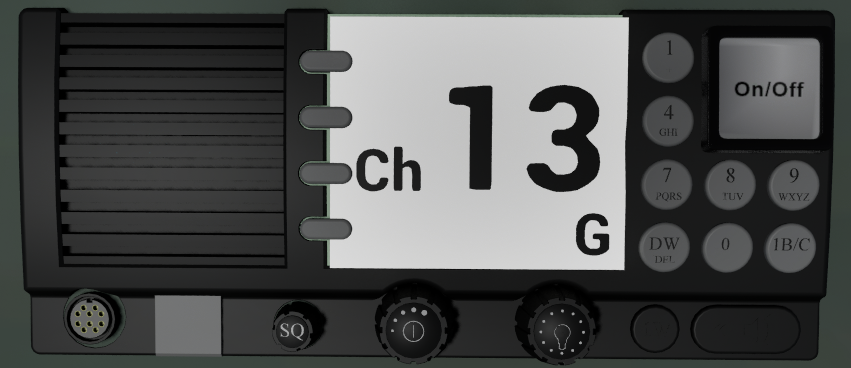
Once switched on, you can change the radio channel by the increase/ decrease channel keys, via assigned controller buttons or by using the mouse wheel over the vhf radio in the cockpit.
The “G” on the lower left of the display shows, that your guard channel is active, so you listen independent of the chosen channel always on ch16, where all ship-to-ship calls and emergencies are handled.
Harbor communication
To find out what harbor is in range and what channels are assigned to what harbor you can check the ENIS or you open the radio menu.
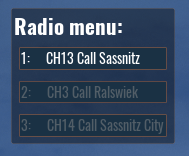
Be aware that the radio channels can only be changed when outside of the radio menu.
The chosen channels are shown in bright white color. By pressing the number in front of the harbor name you enter the harbor menu:
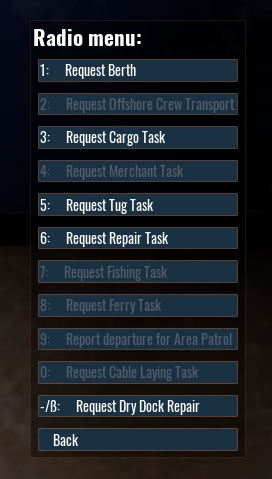
Depending on the ship class, the harbor and possible preconditions, the menu might look different.
Again, click on the line number to execute the radio call.
More details about the different missions can be found in the mission category
Ship to Ship communication
Once you spotted another ship with a binocular. It will be available inside of the radio menu.
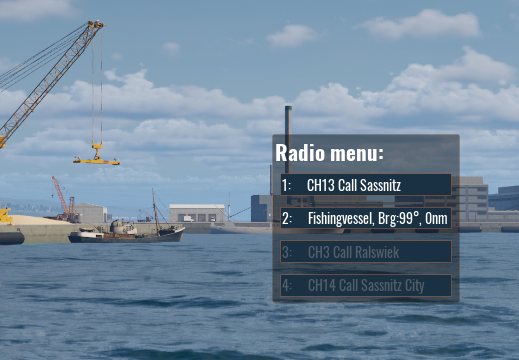
Without established communication, you only have the bearing and distance from your ship.
The following radio calls are available:
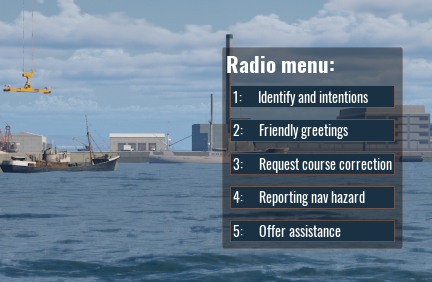
Identify and intentions
The vessel will answer with its shipname and the current activity
Friendly greetings
You get a friendly response. The contact will be removed from the radio menu.
Request course correction
The ship will take action to avoid a collision. Be aware that some response time is needed.
Reporting navigational hazard
You inform the ship about a potential hazard in the area. The AI vessel will navigate more carefully.
Offer assistance
Most likely the vessel does not need any assistance, but in case of an emergency (run aground, flooding, engine failure) you will be asked to support.
As soon as you get a response from the vessel, the shipname is shown on the radio menu as well (Except after the greetings call, which is used to remove the contact from the radio menu)